

Home automation links a device, a condition and an action: a light follows a schedule, a sensor reports a change, or a controller operates several devices together. The useful starting point is one routine that makes sense for the household, not a promise that every connected product will save energy or increase a property value.
Describe one routine before choosing equipment
Write down what should happen, what starts it and who needs to control it. For example, an evening-light routine needs a time or trigger, a defined group of lights and a way to change the setting when the household routine changes. Identify the ordinary manual action that remains available.
Record the current inconvenience and how you will judge an improvement. A routine that is difficult for another resident to operate may add complexity rather than convenience.
Check the complete compatibility chain
List the device, controller or hub, network and app involved. Confirm support for the exact model and feature you need. A brand name or wireless logo alone does not establish that every feature will work with your existing equipment.
The Connectivity Standards Alliance describes Matter compatibility and local connectivity. Its guidance distinguishes local operation from control away from home and explains the role of a controller or bridge. Check the product documentation for your proposed combination rather than assuming a label removes every dependency.
Plan what happens when a connection is unavailable
Ask which functions need the internet, a cloud account or a subscription, and which can operate locally. Establish how residents will use the home if an app, network or service is unavailable. Keep setup information and the manufacturer’s recovery instructions accessible.
A general automation routine should not be presented as a replacement for a required alarm, an appropriate care arrangement or a safety system. Those decisions need equipment and procedures suited to their actual purpose.
Make access and maintenance part of the purchase
Check who can add users, change routines or remove access. Review the available updates, account protection and any ongoing service costs. Include the steps needed to transfer or reset equipment if the home changes occupants.
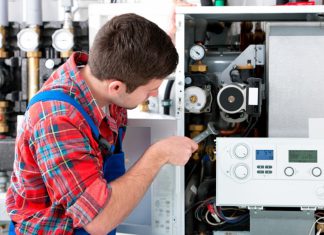
For equipment that changes fixed wiring, plumbing, heating controls or building fabric, confirm the installation requirements with a suitably qualified provider. A remote-control feature does not make the underlying installation a simple software task.
Measure the result without promising savings
Automation may change how equipment is used, but savings depend on the devices, settings, tariffs, household routine and starting point. Compare the relevant consumption or operating pattern over an appropriate period and record other changes that affect it. Do not infer a guaranteed percentage reduction from the presence of a smart control.
Prepare a written scope covering equipment, installation, routine setup, manual operation, support and recurring costs. When comparing providers, including a local home-automation service, ask them to demonstrate the exact routine and explain the dependencies before accepting a proposal.